
On this page
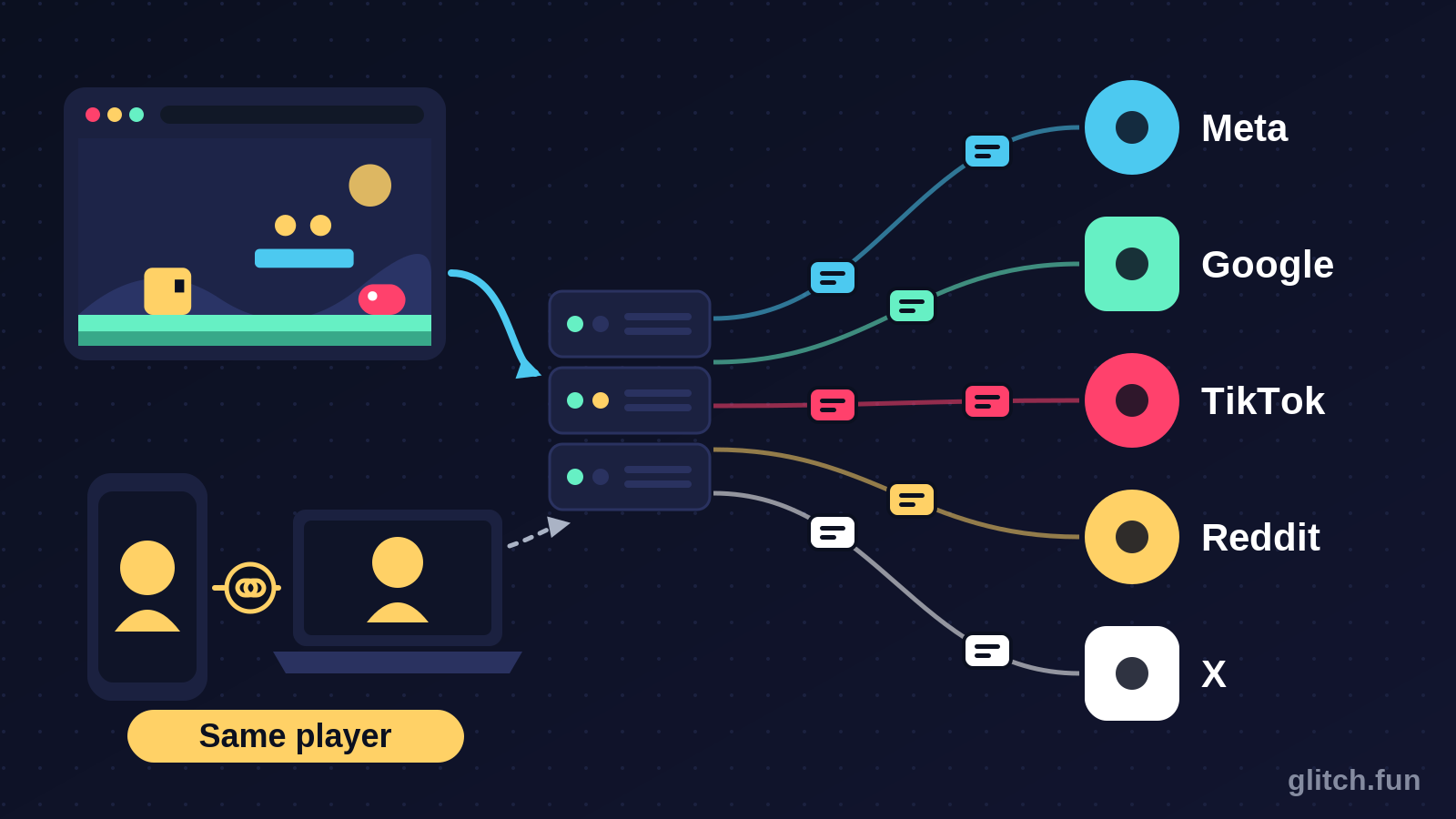
You set your ad to "get clicks", and the ad platform did exactly that. It found thousands of people who love clicking things and have no intention of ever installing a game. Your dashboard says the campaign is doing great. Your wishlists say otherwise.
Ad platforms optimize for whatever you tell them counts. If the only signal they get is a click, they find clickers. If they get told every time someone installs, wishlists or buys, they go find more people like those players. A game we worked with got its cost per conversion down to $0.36 this way. The hard part has always been the plumbing, and that is what Glitch and your AI take off your plate.
In this lesson, we are going to cover:
- What a conversion API is, in two minutes
- How Glitch sends conversions server to server, across devices
- How to set up and verify your conversions with your AI
- How to find which ads, creators and posts actually drove installs
- Retargeting and lookalike ideas, and a weekly conversion health loop
1. What a Conversion API Is
A conversion API (CAPI) is how you tell an ad platform that someone who saw your ad later did the thing you care about. Meta, Google, TikTok, Reddit and X each have one. They all work the same way: when someone clicks an ad, the platform attaches an ID to the click. When that person later converts, you send the ID and the event back, and the platform learns what your real players look like.
Two things matter for games:
- Train on the right event. Wishlist-to-sale conversion can be as low as 2%, so installs and real play are stronger signals than wishlists. For free-to-play games, retention events like D7 are stronger still.
- Hit the threshold. Platforms need a minimum number of conversions before optimization kicks in. For Meta and Google it is often around 50, and every platform is different.
If you want the full background on events, retargeting and lookalikes, our earlier lessons go deeper: Understanding The Basics of Conversion APIs and Lowering Ad Costs and How to Lower iOS CPI With Conversion APIs. Tracking also has legal requirements, covered in Understanding Privacy Laws When Advertising.
2. How Glitch Sends Conversions Server to Server
A browser pixel only sees what happens in the browser. Your game is installed on Steam, a console or a phone, where no pixel can follow. That is why Glitch does it server to server: our servers send each conversion straight to the ad platform's conversion API, so ad blockers and missing cookies do not lose it.
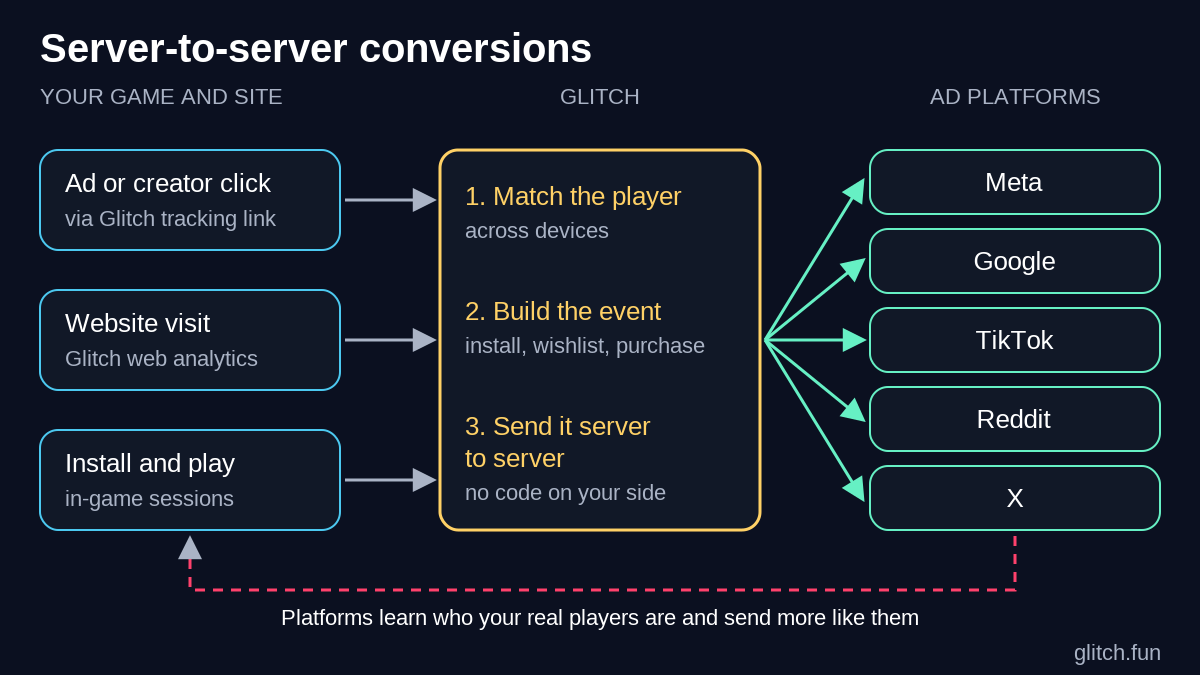
Glitch sits between your game and the ad platforms, so you never write conversion API code.
Each network has its own model, and Glitch handles all of them: Google uses conversion actions; Meta, TikTok and Reddit use pixels; X uses website event tags. You connect the ad account once in the Glitch dashboard, and your AI does the rest of the checking.
3. Cross-Device Attribution
Here is the journey that breaks most tracking. Someone sees your ad on their phone on the bus, looks at your site on their laptop that evening, and installs on their gaming PC two days later. Three devices, no shared cookie. Without cross-device attribution, that install looks like "organic" and the ad that earned it gets no credit.
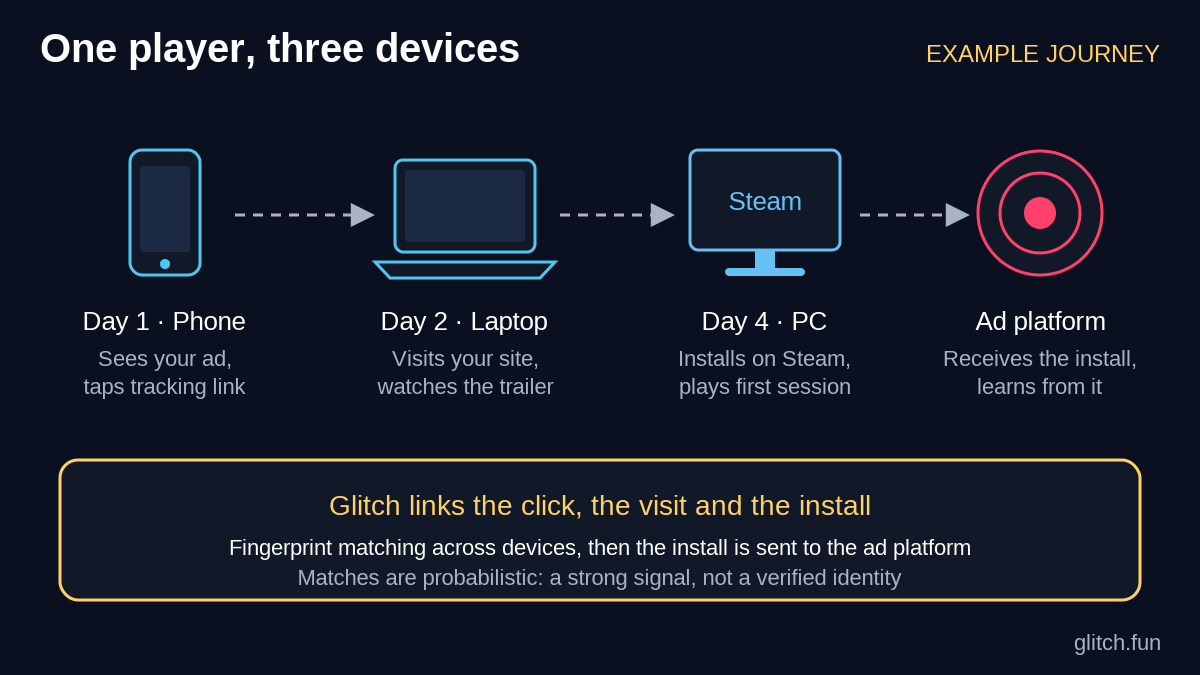
Example journey: one player, three devices, one conversion sent back.
Glitch connects these steps with fingerprinting: device characteristics collected at the tracking link, on your site and in your game, matched with a confidence level. The more touch points a player has with your properties, the stronger the match. These matches are probabilistic, so treat them as a strong signal, not a verified identity, and ask your AI to keep the caveat in its reports.
4. Set Up and Verify With Your AI
The first job is making sure the right conversion source is set for each network. Your AI can see what each connected ad account has and what is configured on your scheduler.
Use Glitch to list the conversion sources on each ad account connected to my scheduler: Google conversion actions, Meta, TikTok and Reddit pixels, and X event tags. Tell me which one my campaigns should optimize for on each network.
Check my Glitch conversion status for my scheduler. Which networks have a pixel or conversion action configured and which have event mappings? List anything missing for the networks I advertise on.
Save my Reddit pixel ID {reddit_pixel_id} to my Glitch scheduler's conversion settings. Show me the change before you confirm it.Then check that events are actually flowing. A configured pixel that never receives an event is the most common silent failure we see.
Pull my Glitch conversion report for the last 30 days, grouped by platform and status. Then list the most recent conversion events and any error messages. Tell me which platforms are receiving events, which are failing and what to fix.
Tip: Before you spend on a new network, you can ask your AI to send a Glitch test conversion event to it and report whether it was accepted. Then check the network's own events page to confirm it was received and matched. Real delivered events are the final word.
5. Find What Actually Drove Installs
Once conversions flow, your attribution reports show which ads, creators and posts brought players who installed, and how those players behaved after. This is where you stop judging campaigns by clicks.
Combine my Glitch attribution reports with my ad reports for the last 14 days. For each campaign and creative, show cost per install and cost per purchase, and tell me where to move budget. Do not change anything without my approval.
Use my Glitch attribution and cross-device reports for the last 30 days to compare installs from ad campaigns, influencer links and social posts. For each source, show installs, D1 retention where available, and how many installs came from a different device than the click.
Show me my Glitch install journey report. What are the most common paths from first click to install, how long do they take, and which first touch shows up most often in journeys that end in an install?
Expect surprises. Ads often get credit they did not earn on the platform's own dashboard, and creators often earn credit they never get, because their viewers install on a different device a day later.
6. Retargeting and Lookalike Ideas
Good conversion data gives you two more tools inside the ad platforms. Your AI cannot build audiences in the ad managers for you, but it can tell you which ones to build and why, based on your real data.
- Retargeting: people who visited your site, watched the trailer or clicked a creator link but did not install. They already know your game; a reminder costs less than a first impression.
- Lookalikes: once a network has enough conversions, build a lookalike from your best converters, ideally players who installed and came back, not everyone who wishlisted.
Use my Glitch web, wishlist and attribution reports to find groups of people who showed interest but did not install, like visitors who viewed my landing page or clicked a creator link. Suggest three retargeting audiences I should build in my ad platforms, with ad copy for each, ranked by expected value.
Based on my Glitch conversion report and retention data, which conversion event should I use as the seed for a lookalike audience on each network I run ads on? Tell me whether each network has enough events yet, and what to do if it does not.
7. A Weekly Conversion Health Loop
Conversion setups break quietly. A pixel gets reset, an ad account loses permission, a platform starts rejecting events, and your campaigns start optimizing on nothing. A five-minute weekly check catches it.
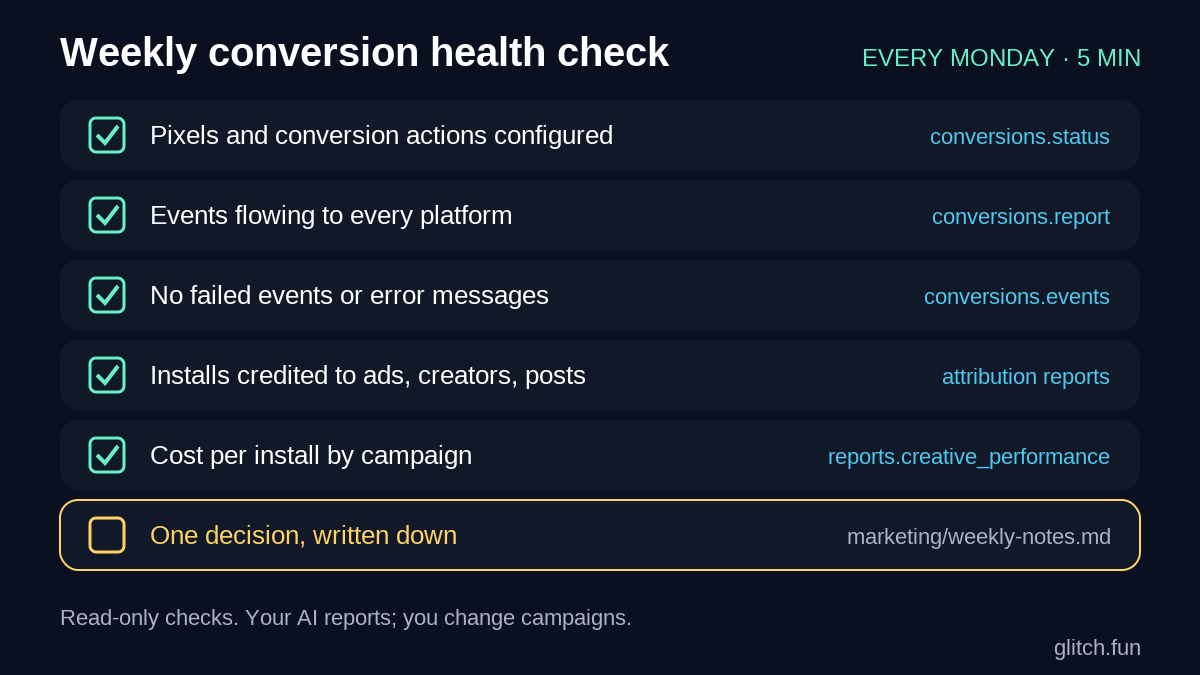
Six checks, one decision, every Monday.
Run my weekly Glitch conversion health check. Confirm each network I advertise on has a conversion source configured, compare this week's conversion events by platform and status with last week, list any failed events with their error messages, and show cost per install by campaign from my attribution and ad reports. Append a short summary and one decision to marketing/weekly-notes.md. Do not change any campaign or setting.
Check my Glitch conversion events for the last 24 hours. Only alert me if a platform I advertise on received zero events, or if failed events went up, and tell me what to check first.
To run the weekly check every Monday with cron, allow only the Glitch tools and the notes file. In a live session, /loop 24h with the daily check works too, and /schedule or Claude Duet runs it with your laptop closed through the hosted Glitch connector at https://api.glitch.fun/mcp (add it in claude.ai under Settings, then Connectors; setup steps on glitch.fun/mcp). The overview lesson shows each method step by step.
0 9 * * MON cd ~/my-game && /usr/local/bin/claude -p "Run my weekly Glitch conversion health check and append it to marketing/weekly-notes.md. Do not change any campaign or setting." --allowedTools "mcp__glitch,Read,Write" >> marketing/cron.log 2>&1
Glitch Tools Used
- glitch_marketing_operation (conversions.sources, conversions.status, conversions.configure, conversions.report, conversions.events, reports.summary, reports.creative_performance)
- glitch_social_operation (schedulers.conversion_actions, schedulers.test_conversion_event)
- glitch_get_attribution_reports, glitch_get_cross_device_reports
- glitch_get_web_reports, glitch_get_wishlist_reports, glitch_get_session_reports
Wrap Up
Conversion APIs are the difference between paying for clicks and paying for players, and with Glitch you never touch the API code. Do this next:
- Run "List my conversion sources" and "Check my configuration" and fix anything missing.
- Run "Are conversions flowing?" before you spend another dollar.
- Schedule the weekly conversion health check.
- After two weeks of data, run "Real cost per install" and move budget to what brings real players.
This is the last lesson in the track. If you have not built your campaigns yet, go to Advertising With an MCP. To put all of this on a loop alongside your social, creator and Steam work, go back to Marketing With an MCP: The Prompts That Do the Work. And to read the results in depth, see Game Analytics With an MCP.