
How To Analyze and Optimize Your Steam Page - Lesson Preview
Before you change a single pixel, you must understand your current performance. Many developers make the mistake of listening to feedback from other developers on Reddit or Discord. While well-intentioned, these people aren't your customers.
Your customers vote with their actions, and there are two actions you want to examine to hone down where the problem is; click thru, and then conversion to impressions.
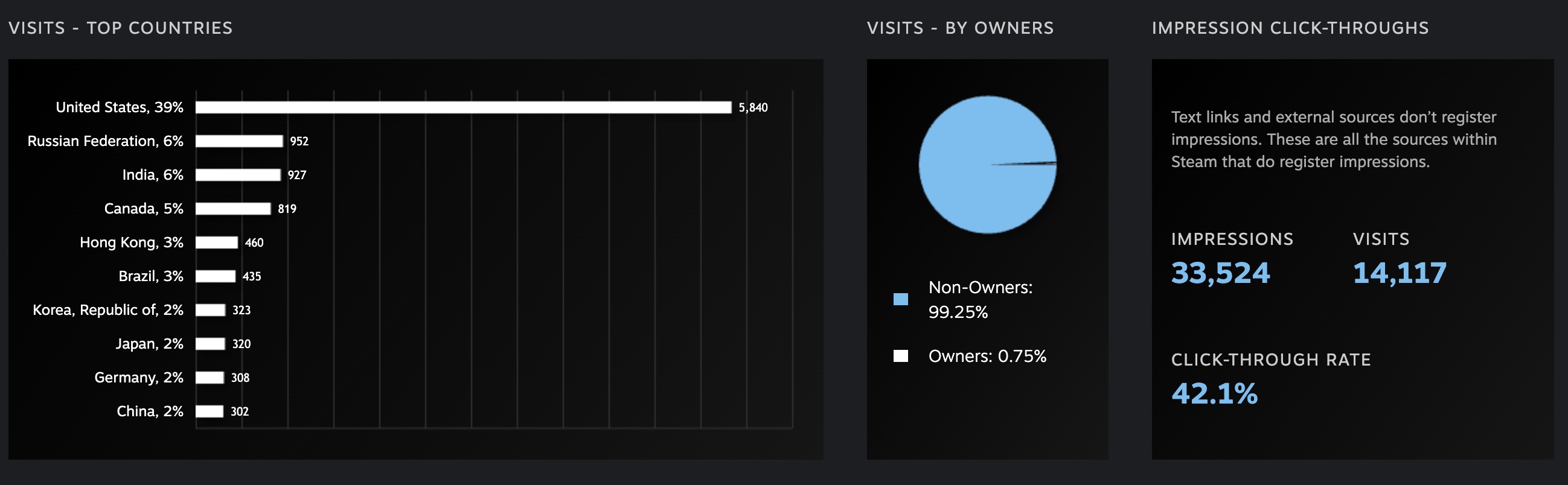
Navigate to Marketing & Visibility in your Steamworks backend. Take special note of what dates are selected. Your most critical metric is the Impression Click-Through Rate (CTR).
- The 5% Rule: A CTR above 5% is generally considered "healthy."
- High Performers: Top-tier games can see CTRs as high as 40%.
- The Breakdown: Look at the "Breakdown of Pages." If your "Browse Search Results" CTR is low, your capsule art isn't standing out against competitors. If your "External Traffic" has high CTR but low conversion to wishlists, your screenshots or trailer are failing to "close the deal."
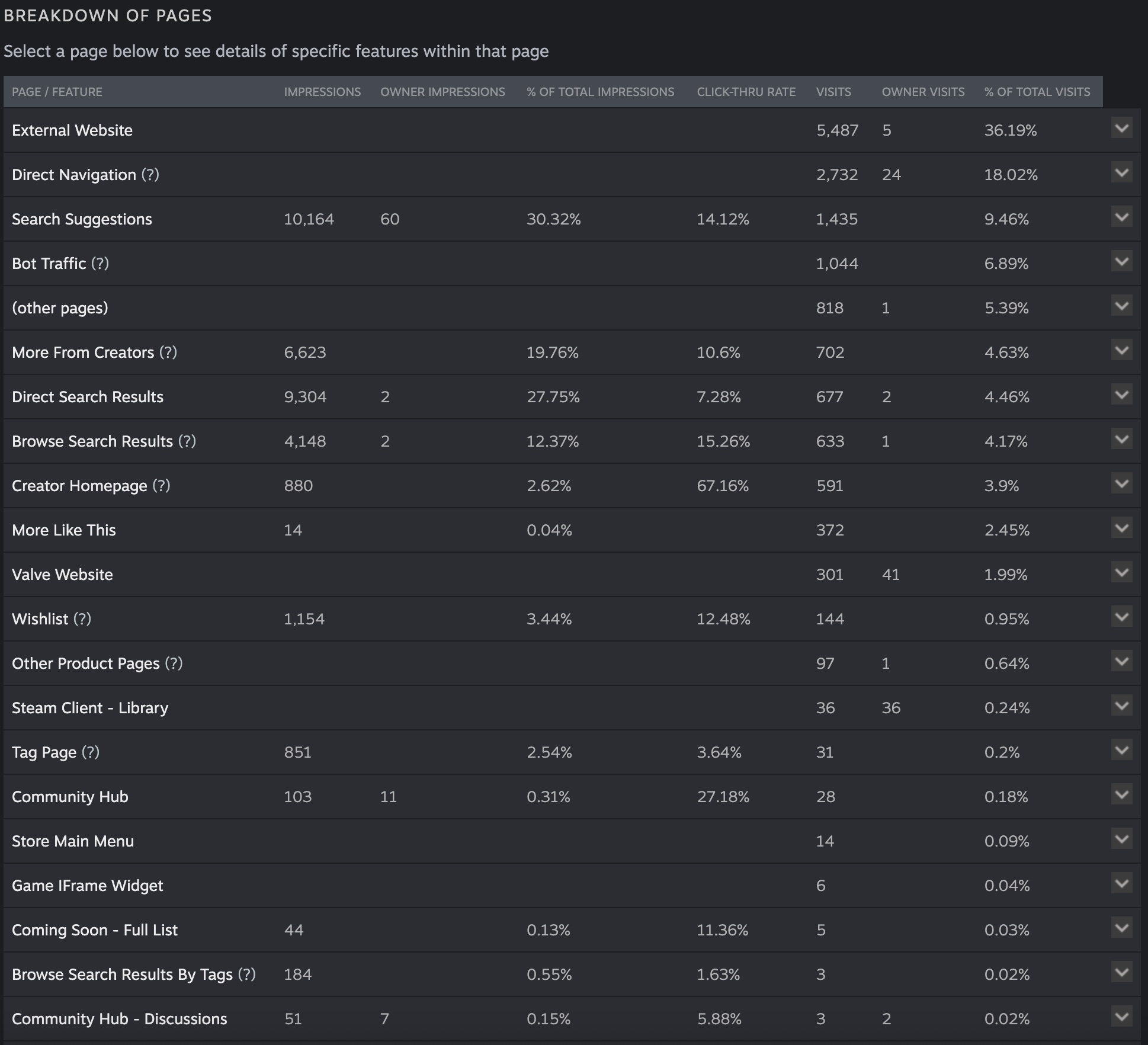
While you are in the Marketing & Visibility section, look at the unique views in that time frame, then navigate to the Wishlist and Sales section and look at view detailed wishlist breakdown. Make sure the dates selected match the same dates in the Market Visibility section.
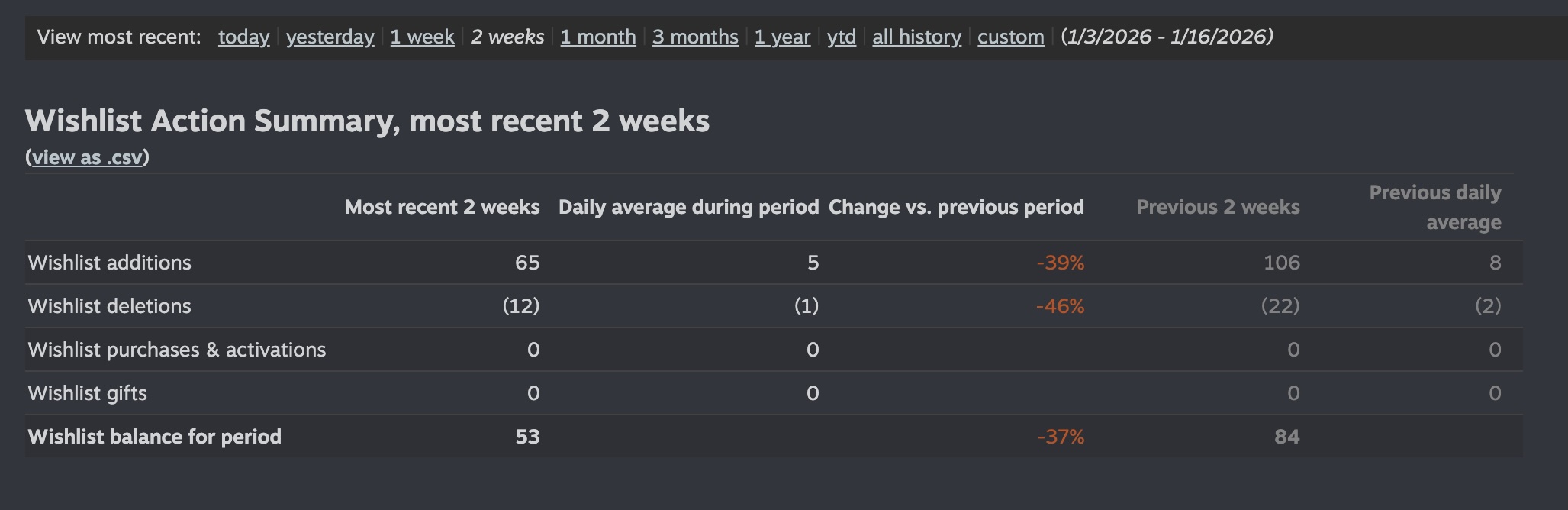
Now take the wishlist in that period and divide by the unique views and multiply that by 100. This will give the percentage of people whose views turn into wishlists. If your game’s page is resonating with people, you should healthy conversion to wishlist
- 5% Above: Like the CTR, the percentage of people who convert by wishlisting should be above 5%.
- High Performers: Games that hit 15% views to wishlist are in the top tier
To summarize, low CTRs mean that your capsule artwork is the issue and needs work. Low unique views to wishlist conversions means the steam page (trailer, description, screenshots, etc) is the issue. If both are low, then you need to look at both capsule artwork and your steam page.
Continue Reading This Lesson
Join the academy to unlock the full video and deep-dive strategies.
Create Free Account