
How To Use Steam Post Launch To Maximize Revenue - Lesson Preview
Unable to load secure video. Please refresh or contact support.
Steam has a complex communication system for how it can with players to alert them about your games key events and get them to purchase. Knowing how to correctly use these events can equate to $100ks to millions of dollars of revenue to being gained or lost post launch.
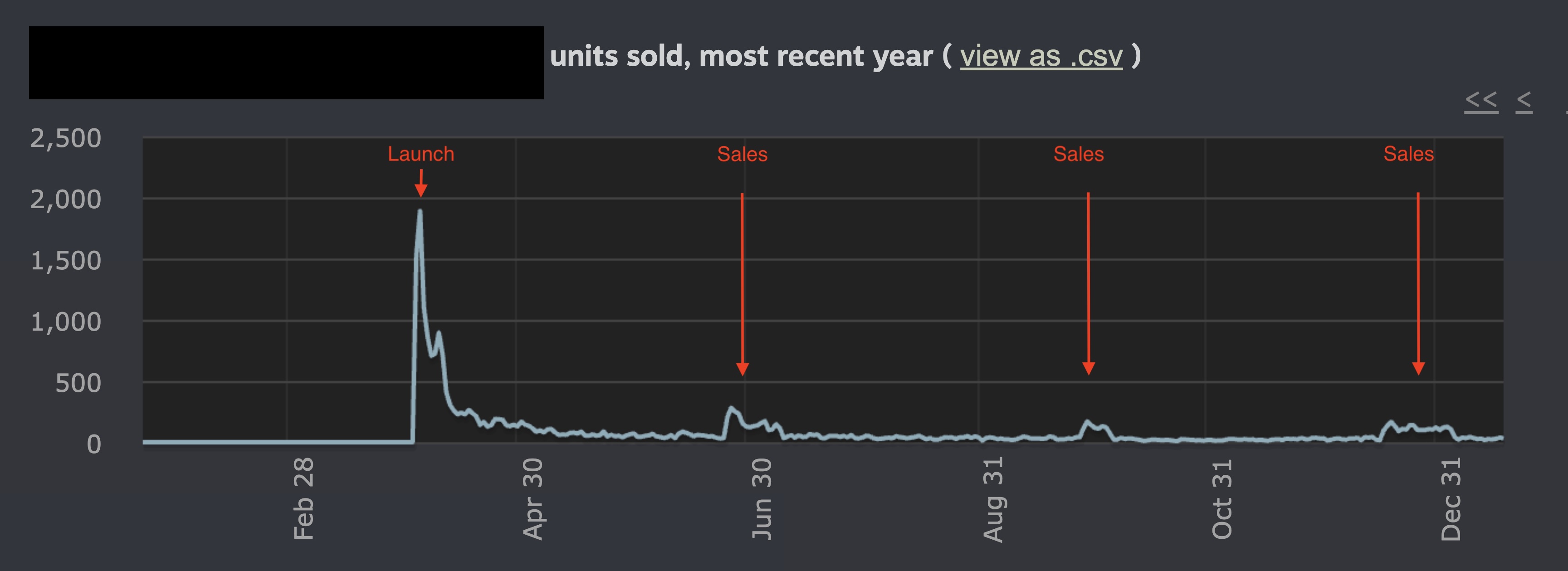
Below is a chart of events you should know and use.
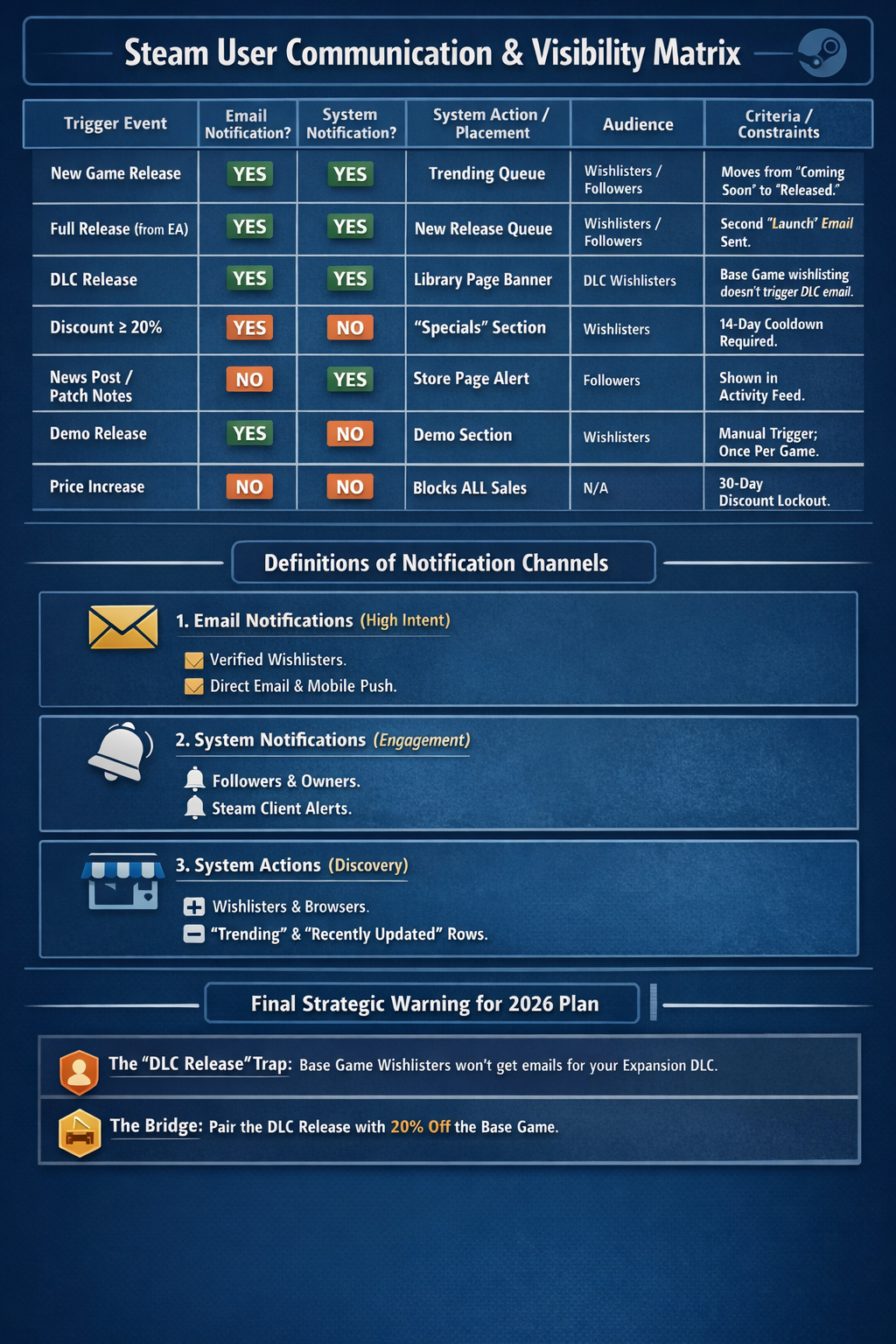
You want users to know about your game, when you ship updates, and when discounts are available to encourage them to buy. While you do not have direct access to users to make these announcements yourself, Steam will notify users about your game under the right conditions.
First, Steam uses two methods to communicate with users:
- Email: Users receive an email about your game delivered directly to their inbox, which is the most effective and high-intent form of communication.
- System Notifications: When users open Steam on their computers, they may receive a system notification inside the Steam client.
Based on the information available, here is a breakdown of what triggers user notifications on Steam, categorized by notification type and the specific criteria required.
1. Email Notifications
Email notifications are the most restrictive and are primarily sent to users who have wishlisted a specific app.
Game or DLC Launch
- Criteria: Sent when a game or DLC moves from “Coming Soon” to “Released,” including the transition from Early Access to Full Release.
- Constraint: For DLC, emails are only sent to users who wishlisted that specific DLC. Wishlisting the base game does not trigger an email for a new DLC release.
Discounts
- Criteria: The discount must be at least 20% to trigger a wishlist email.
- Constraint: There is a cooldown period for wishlist emails. If multiple events occur at once, such as a Winter Sale discount and a Full Release, Steam will typically only send one email.
What does NOT trigger an email:
- Major game updates or changelogs
- Organizing a third-party festival or event
- Visibility Rounds
- Announcing a DLC prior to its release
2. Steam System Notifications
System notifications, such as pop-ups in the Steam client or activity feed notifications, are generally sent to followers of a game rather than just wishlisters.
News Posts and Game Updates
- Criteria: Posting a news item or a major update changelog triggers a notification for users who follow the game.
Visibility Rounds
- Criteria: A specific marketing tool for major updates that places the game back on the front page and discovery queues for owners and wishlisters.
- Constraint: These do not work during major Steam sales like the Winter Sale. If activated during a sale, the round becomes invisible and the allotted days are lost.
What does NOT trigger a system notification:
- A price increase
- A standard price change without an accompanying news post
3. Critical Constraints to Keep in Mind
The 30-Day Cooldown
If you increase the price of your game in any currency, you cannot run any discounts for 30 days. This also means you cannot trigger wishlist emails for sales during that period.
Major Sales Interference
During major sales such as Summer or Winter Sales, the Steam front page is redesigned. This overrides Update Visibility Rounds, and the large volume of emails sent by Steam during these periods may suppress or de-prioritize your game’s release email due to cooldown rules.
Followers vs. Wishlisters
Following a game and wishlisting a game are two different actions. Update notifications target followers, while sales and release notifications target wishlisters. Now let's move onto the sales events.
Continue Reading This Lesson
Join the academy to unlock the full video and deep-dive strategies.
Create Free AccountReady to test your knowledge?
Complete the lesson quiz to earn the How To Use Steam Post Launch To Maximize Revenue badge and progress toward your track certificate.