
How to Create High-Converting Steam Capsule Artwork for Your Game - Lesson Preview
The most important people to listen to when evaluating your capsule artwork are your potential customers and how the artwork is resonating with them. But how do you do that if you don’t know who is clicking through to your page? You use data and make data-driven decisions.
On Steam, navigate to Marketing & Visibility, and the first key metric you should examine is your click-through rate.
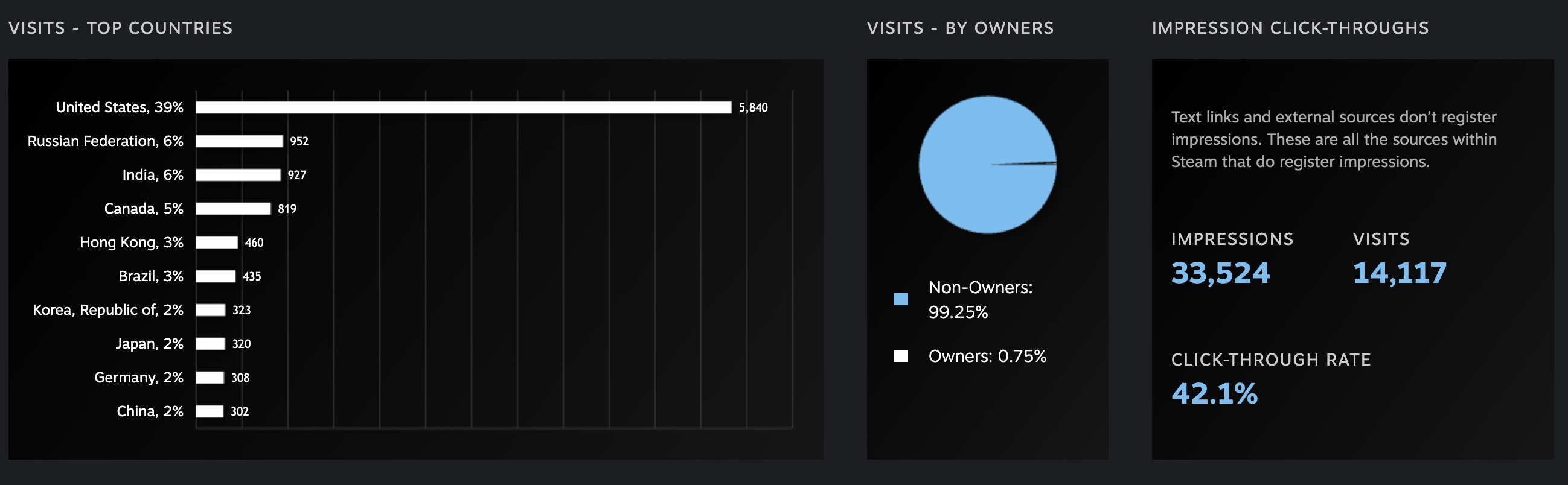
The primary click-through metric represents the average number of people who are clicking through to your Steam page. You can find this under Impression click-throughs. Typically, a CTR above 5% is considered good, but we have worked with games that achieved click-through rates as high as 40%, which is a strong signal that the artwork is resonating extremely well.
To identify specific areas for improvement, you need to drill down further. For this, you should look at the Breakdown of Pages section.
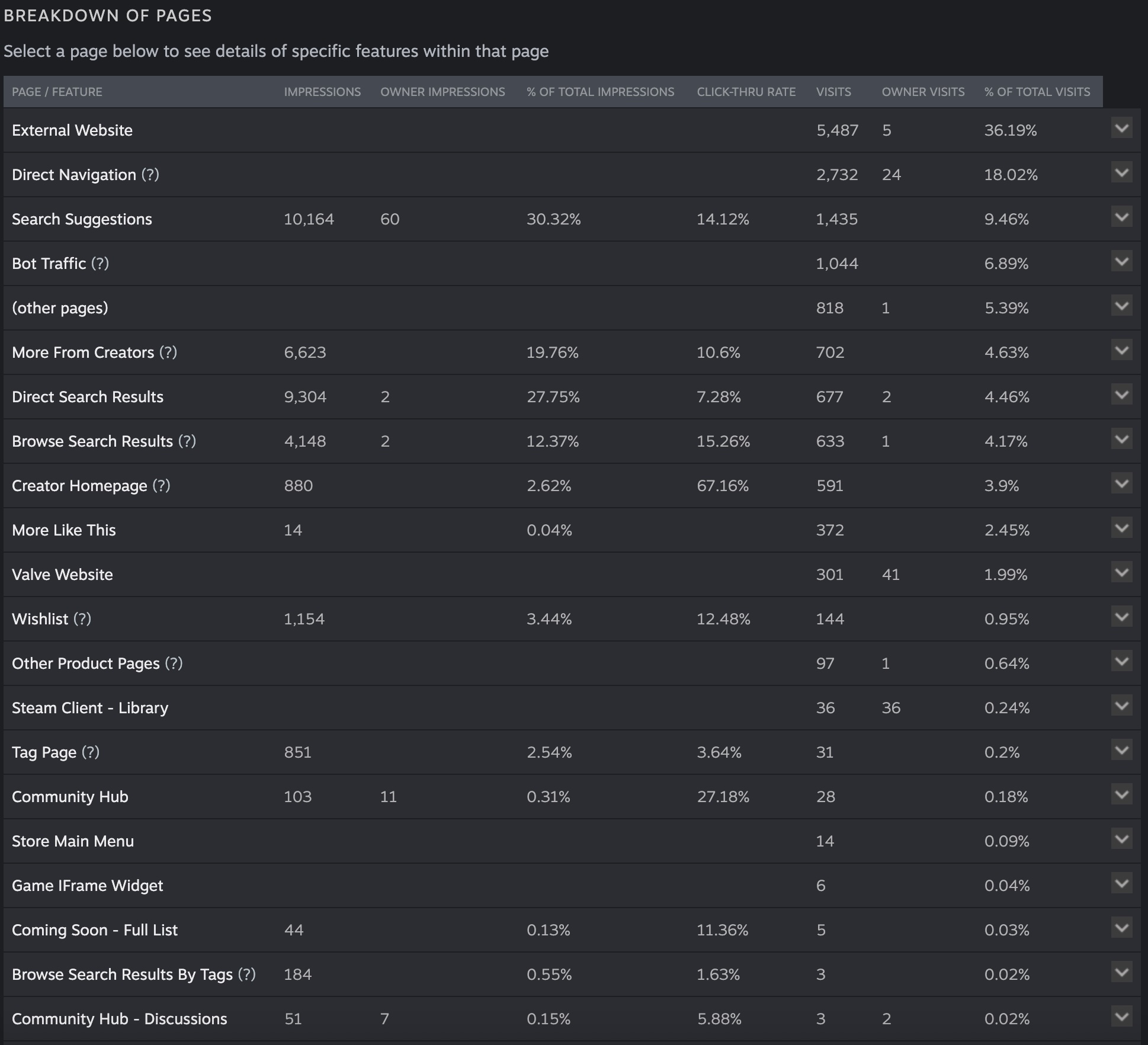
Overall, the game shown in the example image above has very strong click-through rates across most placements, except for a few areas. When we break this down further, we can see that Browse Search Results have the weakest click-through rates. This corresponds to the section shown below.

Normally, this would be a red flag, but in this case it may not be an issue. If you think critically about user behavior, players using the search box are often looking for something very specific that they already have in mind, rather than casually browsing. As a result, they are less likely to click through on results that do not exactly match their query.
If you find that you are getting a high number of impressions but your click-through rate is consistently below 5%, you should take that as clear feedback from users that your capsule artwork may not be captivating enough. Alternatively, it may indicate an issue with how your game is being categorized, such as incorrect Steam tags. For example, listing Dragon Sword under the Simulation tag would be a complete mismatch. Use your data to drill down and identify exactly where improvements are needed.
Continue Reading This Lesson
Join the academy to unlock the full video and deep-dive strategies.
Create Free AccountReady to test your knowledge?
Complete the lesson quiz to earn the How to Create High-Converting Steam Capsule Artwork for Your Game badge and progress toward your track certificate.